
DOCS / About FisProxy
Contact us
FisProxy User Center, shop, and official community entry points.
Whether you are here for the first time, hit a connection problem, or want to talk with other players, welcome to the FisProxy community. First check the FAQ and Troubleshooting. You can also reach us through any official entry point below.
Official entry points
User Center
Manage your account, balances, acceleration, usage records, and tickets
Official shop
View current products and purchase channels
QQ main group
FisProxy Official ft.Tencent QQ - Chinese community and service announcements
QQ Backup
FisProxy Backup - backup Chinese community entry
KOOK
Chinese community and support channel
Discord
International community entry
Do you need help with an account, order, or connection problem?
The preferred channel is My Tickets in the User Center. After sign-in, open it from the sidebar, select New ticket, copy the problem template, and fill in each item. Admin replies and progress appear in the ticket.
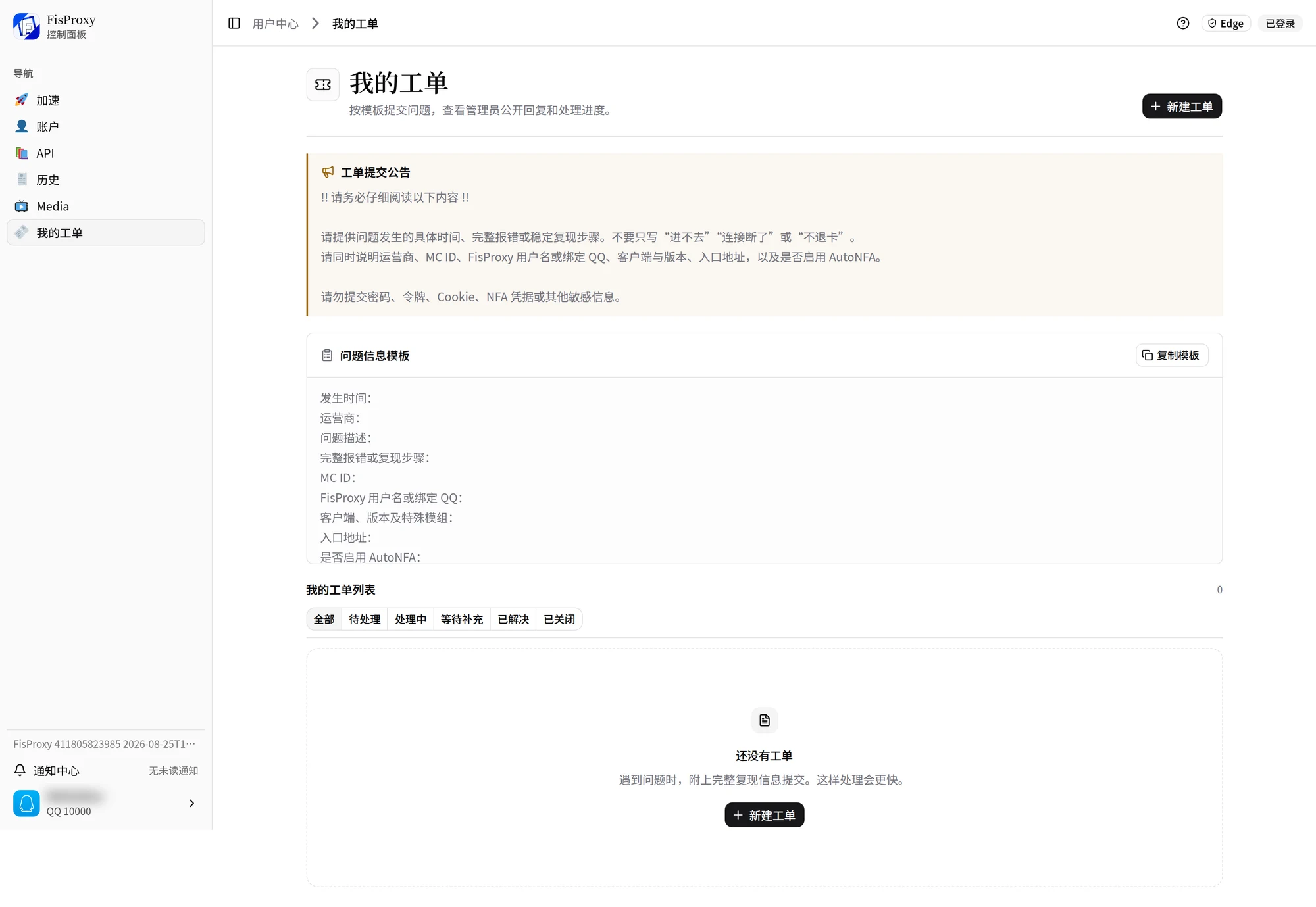
You can also join the KOOK channel and create a private ticket as the channel instructs. In a ticket, submit original screenshots, the complete error, and the complete connection information. Do not crop or censor them, because that can hide the details needed for diagnosis.
Help us help you faster
A description with the key information usually removes the need for extra questions. Tell us:
- The time of the problem and the state shown by the page or bot.
- The service, target server, and Minecraft version you use.
- The complete error or repeatable steps, and what you already tried.
- When needed, original screenshots, the order number, the acceleration time, and the complete connection information.
An example of a clear description:
At 20:15 I started the service in the User Center. The page showed it was ready to connect, but Minecraft 1.20.4 reported a timeout. I copied the current entrance again and switched networks, and the problem still occurs.
Never send this information to anyone
- Redeem codes, passwords, passkeys, or sign-in codes.
- Tokens, cookies, AutoNFA account information, or other account secrets.
- Identity documents or private chat records unrelated to the problem.
Do not send entrance addresses, page screenshots, order details, or payment proof in a public group. You can submit them without changes in My Tickets in the User Center or in a private KOOK ticket. If more information is needed, support staff ask in the ticket.
NEXT / KEEP EXPLORING
Continue to explore.