
DOCS / User guide
Media program
Bind Bilibili, submit work, apply for long-term Media status, and use reward vouchers.
Share your FisProxy experience in videos and get rewards for your work. The Media page in the User Center combines Bilibili binding, work submission, data viewing, and reward collection.
The screenshots on this page show the Chinese interface. The User Center also supports English.
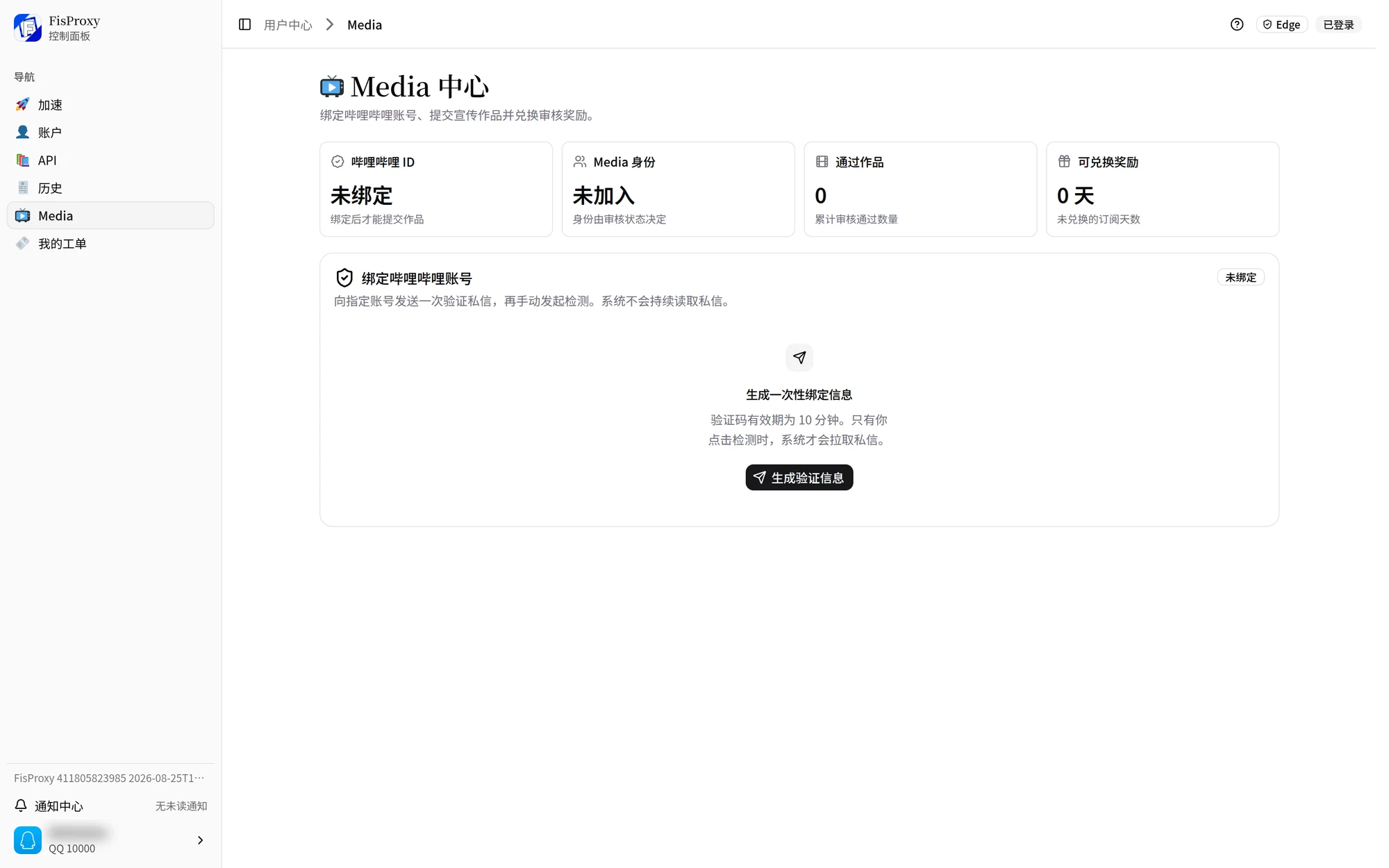
Bind Bilibili
- On the Media page, generate one-time binding information. It is valid for 10 minutes.
- Before it expires, send the complete private message, without changes, to the Bilibili account specified by the page.
- Return to the page and start the check manually.
- After the check succeeds, the page shows the bound Bilibili identity.
The system reads the private message needed for this verification only after you start the check. It does not continuously read your messages. If the information expires or does not match, generate it again and send it again.
Submit work
Paste a Bilibili link, short link, BV number, or AV/AID. The page reads the work details automatically. Confirm the title, author, and publish time, then submit it for review.
- Only videos published in the last seven days are accepted.
- The work must belong to the bound account.
- Submitting the same video again does not add another count.
- Review results and rewards appear in My works.
- Public data such as views, likes, and shares updates regularly. A short delay is normal.
When you prepare a video, download the current green-screen template from the Materials page to add FisProxy elements.
Long-term Media
After you submit at least five different videos, you can apply for long-term Media. Each work counts once. After approval, the page shows the related benefits.
The Media page shows current long-term Media benefits, AutoNFA prices, and account status.
Reward vouchers
After a work passes review, a reward can be an account-specific subscription-day voucher. A reward voucher:
- Cannot transfer to another account.
- Can be used only before its marked expiry date.
- Can be redeemed only after your current subscription expires.
- Gives the subscription days shown on the voucher after redemption.
If your subscription remains valid, keep the voucher until the subscription expires. Check the voucher expiry date as well.
Common questions
I cannot find the verification message
Confirm that the recipient, complete message, and validity period match the page. Then start the check again.
I cannot submit a video
Check that the publish time is within seven days, the link or identifier is complete, and the video author is the bound account.
The count did not increase
The same video counts as one submission. Reapplying or resubmitting does not increase it again.
I cannot redeem a reward voucher
Confirm that it is not expired, redeemed, or revoked. Also confirm that your current subscription has expired.
NEXT / KEEP EXPLORING
Continue to explore.